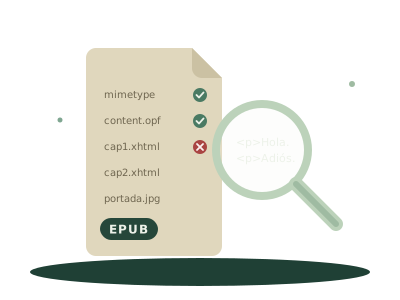
An EPUB isn't a single file but a compressed package: HTML pages, images, a file describing the book (title, author, chapter order) and the table of contents. If one of those pieces is wrong, some readers open it anyway and others, like Send to Kindle, reject it without saying much.
The way to find out what's wrong is to run it through EPUBCheck, the W3C's official validator, the same one publishers and stores use.
First: does it have DRM?
If you bought the book from a store and it only opens in that store's app, it probably has DRM, a copy protection. It isn't a fault in the file, and no validator changes it: that book can only be read where the store allows.
How to check it
- Open Pecia's EPUB validator. It's free, runs EPUBCheck and needs no account.
- Drop the EPUB on the page. Files of up to 200 MB work.
- Wait for the result. The first time takes up to half a minute while the validator loads; after that, under a second.
The file isn't uploaded: it's checked in your browser. The result is Valid, or a list of errors and warnings, each with the file and line it's in.
The most common errors
These are real EPUBCheck messages, from three EPUBs with the most typical faults:
| Message | What it means | How to fix it |
|---|---|---|
PKG-006 Mimetype file entry is missing or is not the first file in the archive. |
The package was recompressed with a generic zip tool, and the mimetype file no longer comes first, as the format requires |
Open and save it with an EPUB editor, which rebuilds the package in the right order |
RSC-007 Referenced resource "OEBPS/portada.jpg" could not be found in the EPUB. |
A page uses an image or another file that isn't in the package | Add the missing file or remove the reference |
RSC-005 Error while parsing file… and RSC-016 Fatal Error while parsing file: The element type "p" must be terminated by the matching end-tag "</p>". |
A page has malformed HTML: here, a paragraph that's never closed | Go to the file and line the message gives and close the tag |
To fix them, the most used free editors are Sigil and the editor that comes with Calibre (Edit book). Both open the EPUB up and take you to each file.
Errors and warnings
An error breaks the format: it's what makes strict readers fail. A warning flags something questionable but tolerable, and an EPUB with warnings usually opens fine. If you only have warnings, the problem is probably elsewhere.
If it's valid and still won't open
Then the file is fine and the problem is the route. The usual causes are DRM, size (by email, Send to Kindle takes up to 50 MB) or content Amazon can't convert, such as very large tables, audio or video. Amazon's error codes and how to avoid them are in how to send an EPUB to your Kindle.