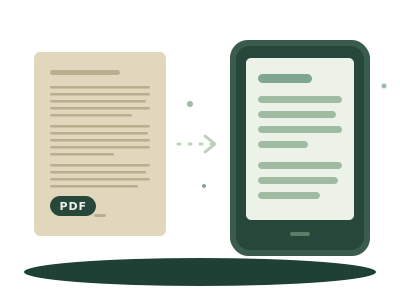
A Kindle opens a PDF, but it's rarely pleasant to read. A PDF keeps the size of the printed page, so on a six-inch screen the text comes out tiny. You can zoom, but the lines don't reflow: you scroll sideways along every one. The fix is to turn the PDF into a book whose text adapts to the screen, and then send that.
When it's worth converting
- Worth it: novels, essays, papers, manuals and articles saved as PDF. Mostly running text.
- Not worth it: cookbooks, comics, magazines, sheet music, scientific tables. The fixed page is the point, and conversion would scramble it. Leave those as PDFs.
- Can't be done: scanned PDFs (photos of pages). There's no text in the file, only images, and you'd need text recognition (OCR) first. Password-protected PDFs can't be opened either.
A quick test: try to select a sentence in the PDF. If you can, it has text and converts well.
The quick way: from your phone, nothing uploaded
- On the Kindle, open its browser and go to
pecia.app/enviar. A four-character key appears. - On your phone or computer, open the upload page, type the key and choose the PDF.
- The PDF is converted to an EPUB in your own browser: the PDF never leaves your device. Only the converted book is sent.
- We turn that into the Kindle's format and a link appears on the Kindle. Tap it and confirm the download.
It's free, needs no account and works only for DRM-free files, up to 15 MB. A novel converts in seconds. Tables and two-column layouts can come out out of order, so check the first pages before you commit to a long read.
The longer way, with more control
If you want to fix the result yourself, convert the PDF with our PDF to EPUB converter (also in your browser), then send the EPUB by any route: the four ways to get a book onto a Kindle without a cable, or Amazon's website, which is covered in how to send an EPUB to your Kindle.
If the EPUB you get doesn't open, your EPUB won't open covers the usual causes.
And on a Kobo?
A Kobo reads PDFs natively, so you can send the PDF as it is. The same caveat applies about the tiny text, so converting is still the better experience for long reading. Details in EPUB vs PDF: what's the difference.